

UV Digital Printer Manufacturer Evaluation: Essential Criteria for Quality and Support
2026-10-21
When investing in a UV digital printer, the decision often hinges on more than just price or print speed. Evaluating a manufacturer’s commitment to quality and ongoing support can mean the difference between a reliable workhorse and a costly mistake. In this guide, we break down the essential criteria you should examine—from build precision to after-sales service—while highlighting how Danmajet addresses each of these factors. If you've ever wondered what separates a truly dependable UV printer manufacturer from the rest, keep reading.
What to Look for in Print Head Durability and Precision
When evaluating print heads, first check how the manufacturer handles nozzle clogging and wear. Look for materials like industrial-grade stainless steel or ceramic-coated nozzles, not just generic metal alloys. Ask about the actual rated lifespan under continuous duty—some heads claim high resolution but fail after a few hundred hours of abrasive inks. A durable head should also tolerate frequent cleaning cycles without degrading the precision of droplet placement.
Precision goes beyond DPI numbers on a spec sheet. Pay attention to the stated droplet volume variation across the full width of the swath. A difference of even 2 picoliters can cause visible banding in solid fills. Run a test print with fine 1-point lines and rotated microtext. If edges show satellite droplets or the line width drifts by more than 5% across the media, the head lacks the mechanical stability needed for consistent output.
Another often-overlooked factor is thermal management. Print heads that run hot tend to shift viscosity of the ink, which quietly changes drop size over long runs. Look for integrated temperature sensors and active cooling or at least a well-designed heat sink. You can spot this by printing a 50-page job with a full-coverage background and comparing the density of the first page to the last. A durable, precise head should hold the same target density within a tight tolerance.
How Fast Does Support Actually Pick Up the Phone?
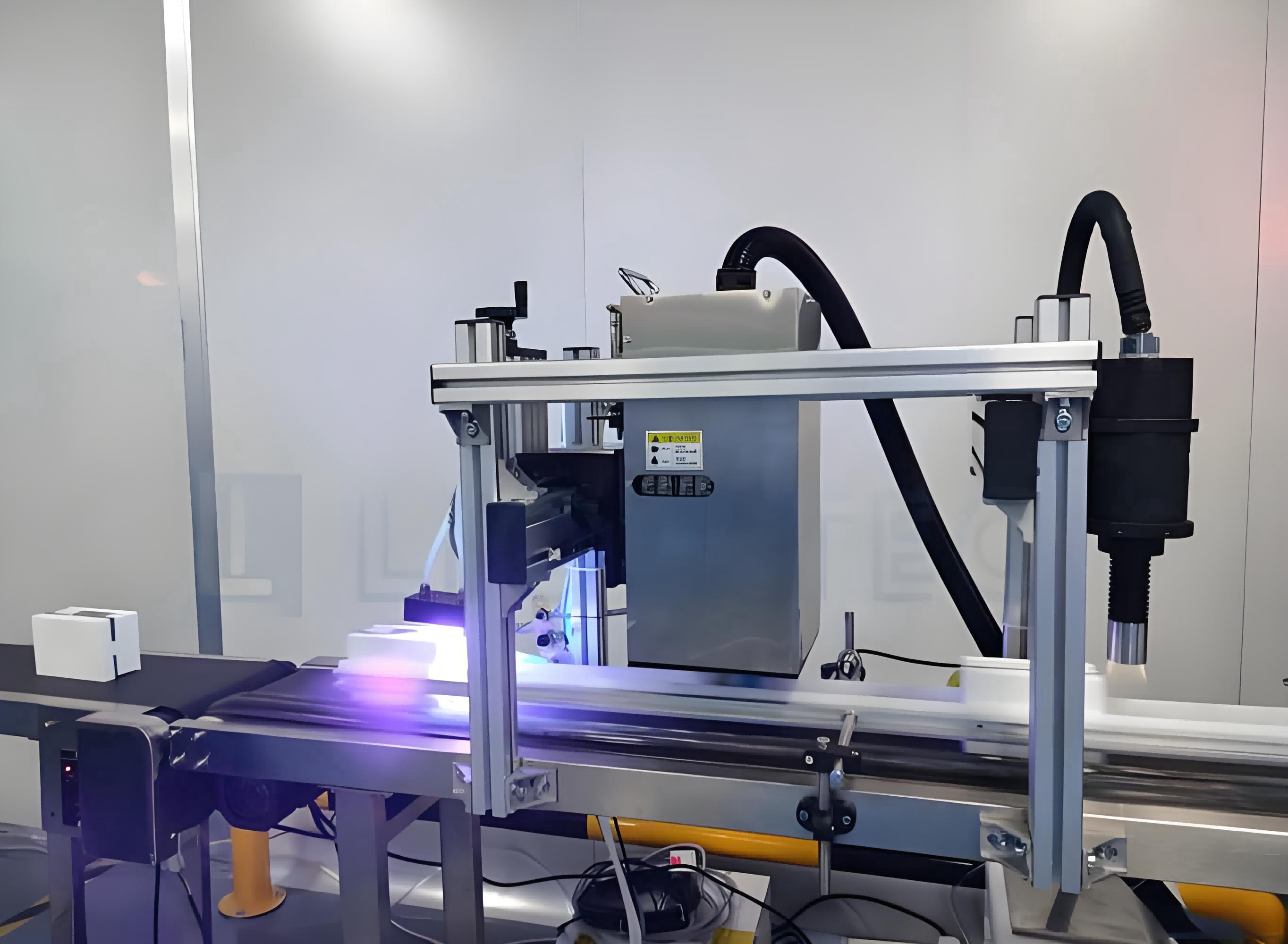
Most companies brag about their “average speed of answer,” but that number rarely matches what you hear on your end. Call on a Tuesday morning and you might reach a human in under a minute. Try the same line on a Friday after 4 p.m. and you could be listening to hold music long enough to memorize the entire playlist. Real pickup times swing wildly based on staffing, time zone gaps, and whether the company actually routes calls to trained people instead of a labyrinth of menus.
A better measure is the “80/20 rule” many support teams quietly track: 80% of calls answered within a certain target, like 90 seconds. But the other 20% can stretch past ten minutes, especially during product launches or billing cycles. If you want a faster answer, call right when phone lines open, avoid Monday mornings, and skip the general number—look for a direct department line or use a callback option if offered. That often beats waiting on hold and gives you a more honest sense of how fast support actually picks up.
Ink Pricing Models That Don't Hide the Real Cost
Most printer buyers only glance at the sticker price, but the real story lives in the cartridge aisle. Ink pricing models that don't hide the real cost put the per-page figure front and center, often right on the box or the store shelf. Instead of forcing you to guess how many pages a cartridge will yield, they state it plainly: cost per page for black, cost per page for color. That single number makes it easy to compare a $49 cartridge that prints 800 pages against a $30 cartridge that only manages 300.
Some manufacturers have moved toward subscription or refill-based models, but not all of them are equally honest. A transparent ink plan shows you exactly what you're paying each month, what page allowance you get, and what happens if you go over. It doesn't bury the overage fees in fine print, and it doesn't lock you into a cartridge that expires before you've used half the ink. The key is predictability: you know your cost before you print, not after.
Another place hidden costs creep in is with "starter" cartridges included in the box. A transparent pricing model either tells you those cartridges are half-filled or replaces them with full ones. The same goes for separate color tanks—if cyan, magenta, and yellow each run out at different times, you shouldn't have to replace the entire tri-color unit. Honest ink pricing lets you buy exactly what you need, whether that's a single high-yield black tank or a full set of individual colors.
Software That Works With Your Team, Not Against Them
Most project tools quietly demand that your team change how it communicates, tracks progress, and shares files. You end up with duplicate spreadsheets, missed handoffs, and people reverting to email because the official system feels like a hurdle rather than a help.
This software takes the opposite approach. It plugs into the channels and rituals your team already has, whether that is a morning Slack thread, a weekly planning doc, or a shared drive full of design assets. Instead of forcing a rigid hierarchy, it lets you shape boards, statuses, and notifications around the way work actually moves.
When tools adapt to people instead of the other way around, adoption stops being a battle. New teammates get productive in a day because the interface mirrors what they already do, and seasoned members stop fighting workarounds. The result is less process overhead and more time spent on the work itself.
Learning From Shops That Already Run These Machines
Watching a machine on a showroom floor tells you almost nothing about how it holds up after six months of daily use. The shop owner who has already logged those hours can tell you which components start to rattle, how often the belt needs adjusting, and whether the advertised cycle time survives a full shift. Most of them are surprisingly open about these details because they've had to work around them.
Ask about the repairs that never made it into the maintenance log. A quick conversation often reveals that a specific sensor fails every few hundred cycles, or that a certain brand of lubricant fixes a recurring jam. These practical bits of knowledge are not in any brochure. They come from operators who have learned which knobs to ignore, which settings to adjust on the second run, and which spare part to keep under the counter.
One shop may run the machine hard and complain about noise, while another uses it lightly and reports no issues. That difference matters more than any spec sheet. If you can visit during a busy shift, you'll see how the machine behaves under real load, how the staff works around its limitations, and whether the workflow actually improves. Those observations beat any demo.
Warranty Fine Print and Local Service Availability
The warranty card might promise “lifetime coverage,” but the fine print often narrows that to specific parts, original-owner use, or a limited definition of “defect.” Paint finishes, batteries, seals, and normal wear rarely make the cut. Some policies also require product registration within 30 days; miss that window and the coverage slides from five years to one. Those details sit in short paragraphs with tight leading, easy to skip at purchase.
Even a solid warranty loses value when local support is thin. A product sold nationwide can still have only two authorized service centers, both in different time zones, with a repair queue that stretches for weeks. If the warranty requires shipping the item back at your expense and waiting for an assessment, the practical cost may outweigh the covered repair. Ask for a list of authorized service points near your ZIP code before you need one, and verify whether they stock common parts or have to order them each time.
FAQ
Look at how they handle vacuum bed flatness, gantry alignment, and cable strain relief. A shop floor demo should include a print at full speed on the actual media you plan to run, not a pre-approved sample file. Ask the operator to swap two ink channels mid-job to see if downtime stays under ten minutes.
Request their last three support ticket response logs with timestamps and resolutions, redacting customer names if needed. Then call their after-hours line on a weekend with a plausible error code and see how fast a technician calls back. If they cannot show a local spare parts inventory list with shelf locations, treat that as a warning.
Two heads with the same native dpi can behave very differently under production conditions. One may handle high-viscosity white ink without settling, while another clogs after repeated idle cycles. Check the recommended maintenance interval, nozzle redundancy, and whether the head supports variable droplet sizes for smooth gradients.
Ask for batch-to-batch viscosity test reports and accelerated UV weathering data for the inks on your substrates. Also confirm whether third-party ink use voids the printhead warranty and whether the manufacturer offers a certified ink recycling or return program. Cheap bulk ink often becomes expensive after adhesion failures on polypropylene.
Open the electronics cabinet and check for labeled, loomed wiring instead of zip-tied bundles. Look at the linear rails for signs of preload adjustment and the vacuum table for consistent suction across all zones. Run a 5-point flatness check with a dial indicator if they allow it, and ask to see the gantry lift test report.
Vague phrases like 'best effort response' without a numeric hour target, software updates sold as separate subscriptions, and a spare parts list that only includes consumables. Also watch for exclusions covering the RIP computer or ink delivery system, since those are common failure points.
Print an unmodified ISO 12647-7 control strip or a custom test chart with 2pt text, skin tone gradients, and solid CMYK patches. Measure delta E on the same spots with a spectrophotometer after 24 hours, and flex the print on your actual substrate to check adhesion and crack resistance.
Ask how many firmware updates were released for their 2018 models in the last twelve months. Find out if their RIP software supports at least three third-party workflows and whether they have a formal process for certifying new ink sets. A manufacturer that cannot show a five-year spare parts commitment for legacy heads is not planning for your long-term ownership.
Conclusion
Evaluating UV digital printer manufacturers goes far beyond comparing resolution specs or claimed speeds. The print head's long-term durability and dot placement accuracy are what actually determine whether fine text, gradients, and small reverses stay clean after months of daily use. Ask suppliers for real maintenance logs or reference accounts from shops with similar volume, not just a demo print. Equally telling is how the company responds when something goes wrong: call their support line before you buy and see if you get a technician who knows the machine or a call center script. A two-hour callback difference can cost you a full production day.
On the cost side, dig into ink pricing models until every cost per square meter is visible—some vendors bundle print heads or service credits into ink contracts that quietly raise your true cost. Software should import your existing RIP workflows without forcing everyone through a proprietary portal; if your operators fight the interface, throughput drops regardless of what the hardware can do. Spend time with shops already running the machines you're considering. They'll tell you which warranties actually get honored locally and which require shipping parts across country. The fine print around service travel, response windows, and covered wear items matters just as much as the spec sheet.
Contact Us
Contact Person: Jacky
Email: [email protected]
Tel/WhatsApp: 086 15000607053
Website: https://www.danmajet.com